> ## Documentation Index
> Fetch the complete documentation index at: https://tyk-joancamostyk-patch-13.mintlify.site/llms.txt
> Use this file to discover all available pages before exploring further.
# Tyk Dashboard Overview
> Learn about Tyk Dashboard, the control plane for managing your Tyk Platform, and how to configure its data storage
## Introduction
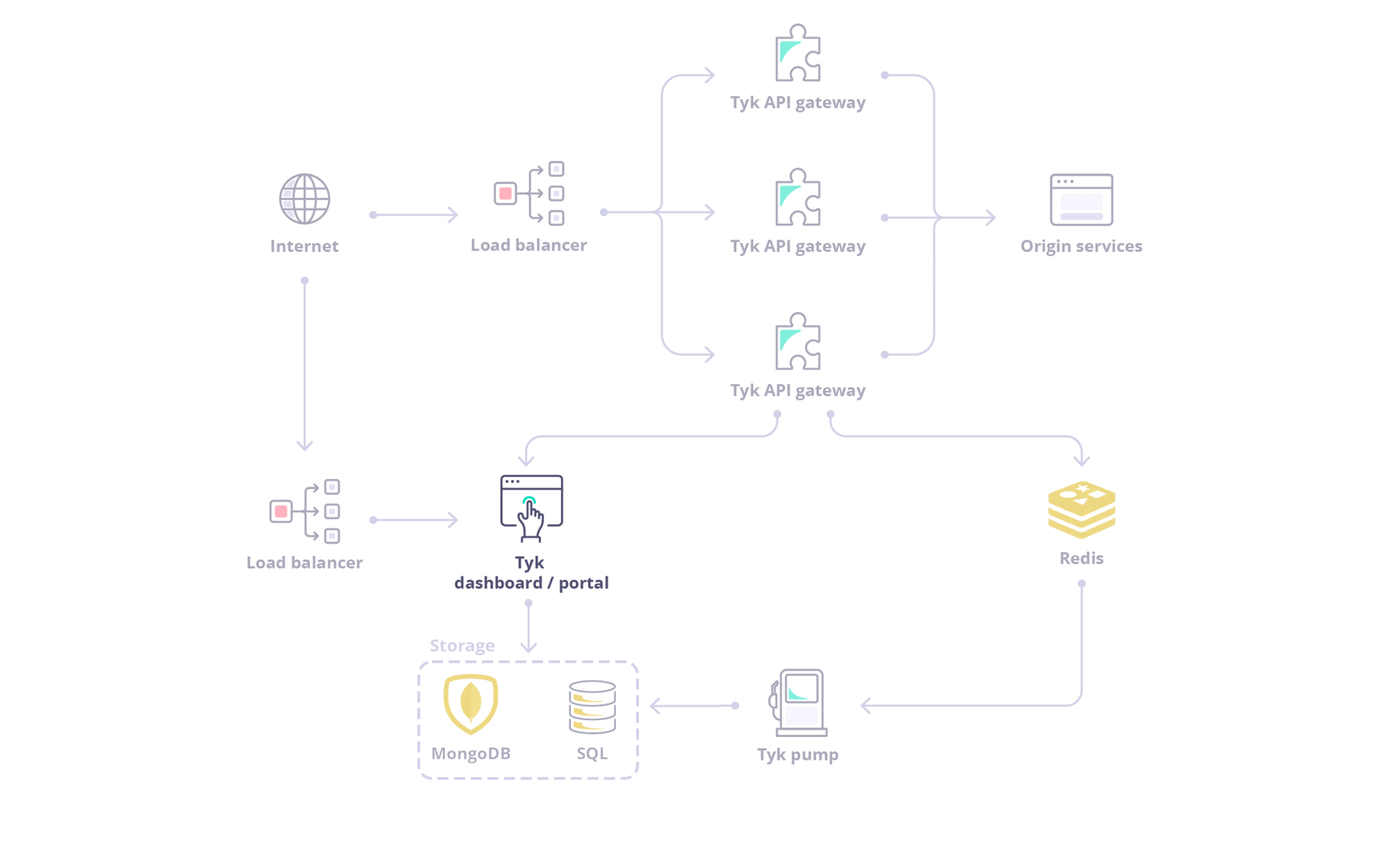 The Tyk Dashboard is a web-based interface that serves as the **central management hub for your API ecosystem**. It provides a user-friendly Graphical User Interface (GUI) for configuring, monitoring, and analyzing your APIs managed by Tyk.
The Dashboard also exposes a **REST API**, allowing for programmatic control and integration with other tools and workflows.
## Exploring the Dashboard UI
To get a tour of the Dashboard UI, refer to this [document](/getting-started/using-tyk-dashboard).
## Exploring the Dashboard API
The Dashboard is a large, granular REST API with a thin-client web front-end, and if being deployed as part of a Tyk install, serves as the main integration point instead of the Gateway API.
The Tyk Dashboard is a web-based interface that serves as the **central management hub for your API ecosystem**. It provides a user-friendly Graphical User Interface (GUI) for configuring, monitoring, and analyzing your APIs managed by Tyk.
The Dashboard also exposes a **REST API**, allowing for programmatic control and integration with other tools and workflows.
## Exploring the Dashboard UI
To get a tour of the Dashboard UI, refer to this [document](/getting-started/using-tyk-dashboard).
## Exploring the Dashboard API
The Dashboard is a large, granular REST API with a thin-client web front-end, and if being deployed as part of a Tyk install, serves as the main integration point instead of the Gateway API.
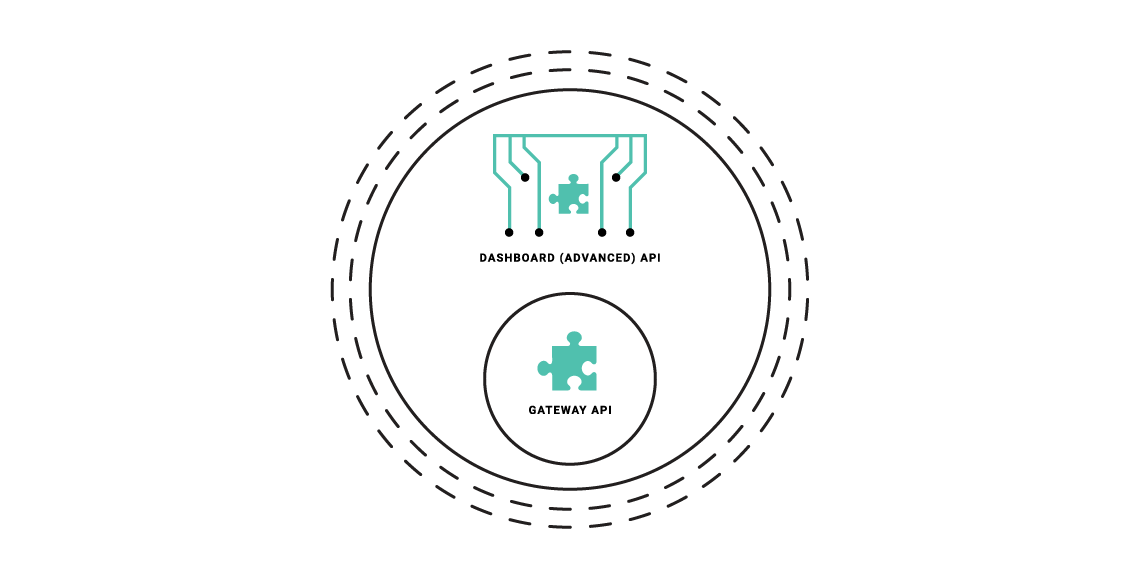 **The Dashboard API is a superset of the Gateway API**, providing the same functionality, with additional features (anything that can be done in the Dashboard has an API endpoint), and offers some additional advantages:
* The Dashboard API has a granular structure, you can create separate clients easily.
* The API features read/write permissions on a per-endpoint level to have extra control over integrations.
* The API enforces a schema that can be modified and hardened depending on your usage requirements.
### Types of Dashboard API
The Dashboard exposes two APIs:
* **Dashboard API**: Is used for operational management of Tyk resources (APIs, policies, keys, etc.). This API offers granular permissions based on user roles.
To know more about the Dashboard API, refer to the [Tyk Dashboard API documentation](/tyk-dashboard-api).
* **Dashboard Admin API**: Is used for system-level administration and initial setup tasks like managing organizations, initial user creation, backups/migrations and SSO setup.
To know more about the Dashboard Admin API, refer to the [Tyk Dashboard Admin API documentation](/dashboard-admin-api).
### Authenticating with Dashboard APIs
**Dashboard API**
The [Tyk Dashboard API](/tyk-dashboard-api) is secured using an `Authorization` header that must be added to each request that is made. The **Tyk Dashboard API Access Credentials** `Authorization` key can be found within the Dashboard UI at the bottom of the **Edit User** section for a user.
**Dashboard Admin API**
The Tyk Dashboard Admin API is secured using a shared secret that is set in the `tyk_analytics.conf` file. Calls to the Admin API require the `admin-auth` header to be provided, to differentiate the call from a regular Dashboard API call.
## Data Storage Solutions
Tyk Dashboard requires a persistent datastore for its operations, shared with Tyk MDCB and Tyk Pump. See [Core Platform Persistent Database](/api-management/persistent-database) for the categories of data it stores, supported engines, connection configuration, and connection pool tuning.
**The Dashboard API is a superset of the Gateway API**, providing the same functionality, with additional features (anything that can be done in the Dashboard has an API endpoint), and offers some additional advantages:
* The Dashboard API has a granular structure, you can create separate clients easily.
* The API features read/write permissions on a per-endpoint level to have extra control over integrations.
* The API enforces a schema that can be modified and hardened depending on your usage requirements.
### Types of Dashboard API
The Dashboard exposes two APIs:
* **Dashboard API**: Is used for operational management of Tyk resources (APIs, policies, keys, etc.). This API offers granular permissions based on user roles.
To know more about the Dashboard API, refer to the [Tyk Dashboard API documentation](/tyk-dashboard-api).
* **Dashboard Admin API**: Is used for system-level administration and initial setup tasks like managing organizations, initial user creation, backups/migrations and SSO setup.
To know more about the Dashboard Admin API, refer to the [Tyk Dashboard Admin API documentation](/dashboard-admin-api).
### Authenticating with Dashboard APIs
**Dashboard API**
The [Tyk Dashboard API](/tyk-dashboard-api) is secured using an `Authorization` header that must be added to each request that is made. The **Tyk Dashboard API Access Credentials** `Authorization` key can be found within the Dashboard UI at the bottom of the **Edit User** section for a user.
**Dashboard Admin API**
The Tyk Dashboard Admin API is secured using a shared secret that is set in the `tyk_analytics.conf` file. Calls to the Admin API require the `admin-auth` header to be provided, to differentiate the call from a regular Dashboard API call.
## Data Storage Solutions
Tyk Dashboard requires a persistent datastore for its operations, shared with Tyk MDCB and Tyk Pump. See [Core Platform Persistent Database](/api-management/persistent-database) for the categories of data it stores, supported engines, connection configuration, and connection pool tuning.